
Amazon Black Friday advertising can double a product's sales in a week and still leave you with less money than a normal week. The discount, the deal fees, the peak fees and the extra ad spend all come out of the same margin. Most sellers only see what is left in January, when the reports finally add up.
This year, Black Friday falls on 27 November and Cyber Monday on 30 November. That leaves a few weeks to do the sums. Below, we take one product from a normal month into Black Friday week and work out how much it can spend on ads before it loses money. Then we turn that number into rules you can check every morning until Cyber Monday.
Why a Sales Lift Can Hide Losses
When sales jump, most reports look good. Seller Central shows more orders, and the ad console shows more sales from ads. Neither one shows what the discount, the deal fee, and the peak fee did to each unit.
A discount comes straight off the price, but most of your costs stay the same. The product still costs what you paid for it, and the FBA fee goes up in the holiday weeks. So profit per unit falls much faster than the price.
We use the same product as in our guide to net profit per SKU. In a normal month, it sells for $29.99 and keeps $9.39 a unit before ads. For Black Friday week, it goes on a 20% deal at $23.99. The referral fee is still 15% for its category, as Amazon's pricing page lists for Home and Kitchen, so it drops to $3.60. The FBA fee rises to about $6.33 once Amazon's average holiday peak fee is added. The numbers for this product are made up to keep the maths simple.
Per unit | Normal month | Black Friday week |
|---|---|---|
Sale price | $29.99 | $23.99 |
Referral fee (15%) | −$4.50 | −$3.60 |
FBA fee | −$6.00 | −$6.33 |
Placement and storage | −$0.50 | −$0.50 |
Landed cost | −$8.60 | −$8.60 |
Returns | −$0.50 | −$0.50 |
Coupon or deal fee | −$0.50 | −$0.56 |
Profit before ads | $9.39 | $3.90 |
The price fell by 20%, but the profit before ads fell by more than half. That $3.90 is all the product has left to pay for ads in Black Friday week.
Promo and Coupon Cost
The discount is the biggest promotion cost, and it is easy to forget because it never shows up as a fee. Taking 20% off $29.99 costs $6.00 on every unit, which is twice what this product spends on ads in a normal month.
The fees come on top. For Black Friday Week and Cyber Monday, Amazon's holiday post lists $100 per promotion plus 1.5% of promotional sales for Best Deals, Lightning Deals, and Prime Exclusive Price Discounts. The 1.5% part is capped at $5,000. The same post confirms holiday peak fulfillment fees that average $0.32 a unit until 14 January. Coupons have their own fee: $5 per coupon plus 2.5% of coupon sales in the US.
To get a fee per unit, divide the total fee by the units you expect to sell. Our product expects 500 sales during the deal, so the deal fee comes to about $280, or $0.56 a unit. The $100 part stays the same however much you sell, so a deal that sells fewer units costs more per unit.
If you stack two promotions on the same product, add up both discounts and both fees before you decide. Amazon promo profitability comes down to one question: what is left on each unit after the discount and every fee? Work that out for each product before the event starts.
Ad Spend by Product
Amazon Ads defines ACoS, or advertising cost of sales, as ad spend divided by ad sales, times 100. The same guide says that to make a profit, your ACoS needs to be lower than your profit margin. That gives you a break-even line for each product: profit before ads divided by the sale price.
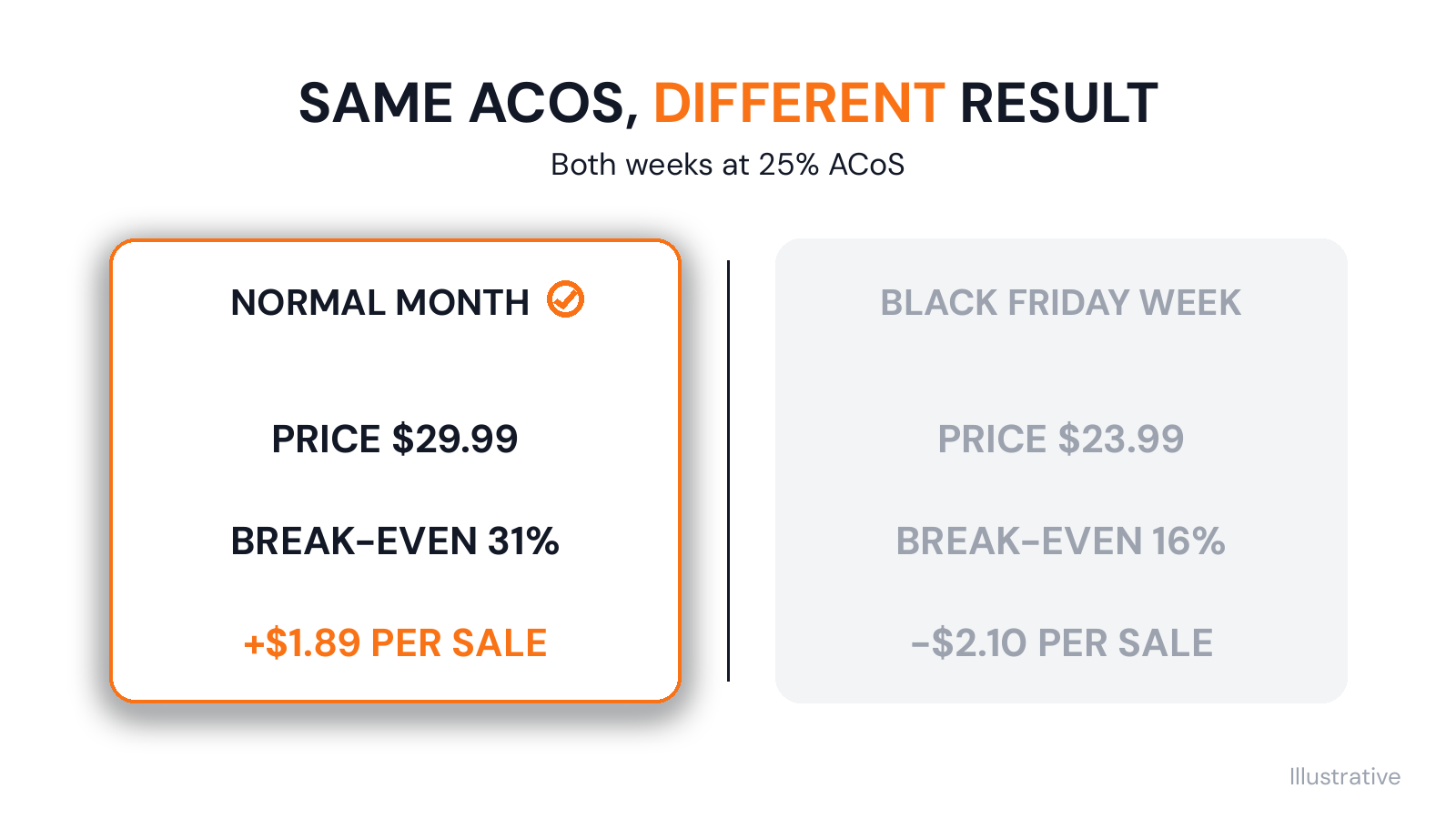
Most Amazon Black Friday advertising plans reuse last month's target, and that is where the money goes. For our product, the break-even line is about 31% in a normal month and about 16% in Black Friday week. Suppose its ads run at 25% in both weeks. In a normal month, each sale from an ad costs $7.50 in ads and still makes $1.89. In Black Friday week, each sale from an ad costs $6.00 and loses $2.10. The ad report shows the same number both weeks, but one week makes money and the other loses it.
So set your holiday ACoS limit for each product, not for each campaign. A campaign often mixes products with different margins, and its average can look fine while one product inside it loses money on every sale. Before you raise your Amazon PPC Black Friday budget, check which products can afford it at the deal price. Our post on ACoS vs TACoS explains how to compare ad spend with all of a product's sales, including the ones that did not come from ads.
Set Stop-Loss Rules
A busy week is a bad time to make these decisions one by one. Write a simple rule for each product before Black Friday starts. Each rule has three parts:
- The line: the break-even point at the deal price. For our product, that is 16%.
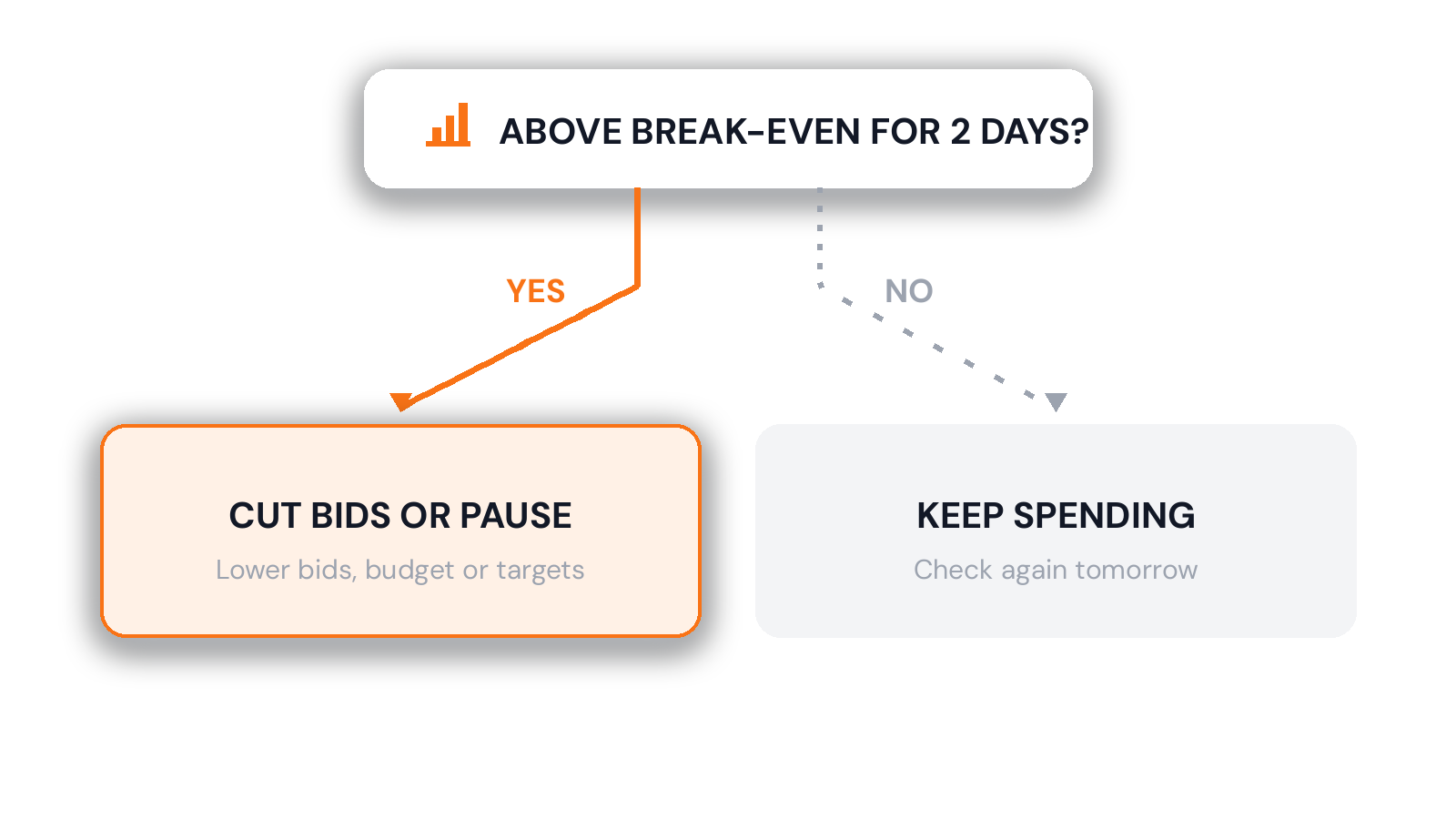
- The time: how long a product can stay above the line before you act, such as two days in a row.
- The action: what you do when it crosses the line, such as lower the bids, cut the daily budget, pause the targets that spend without selling, or pause the product's ads.
Judge each product over more than one day. Ad reports can keep adding sales to a day after the click, so a bad morning can look better by the evening.
Add a stock rule too. If a product will run out before Cyber Monday, cut its ads first, because every ad sale brings the stockout closer. Our Q4 inventory planning checklist shows how to work out how many days of stock you have left.
Daily Check Routine during Black Friday and Cyber Monday
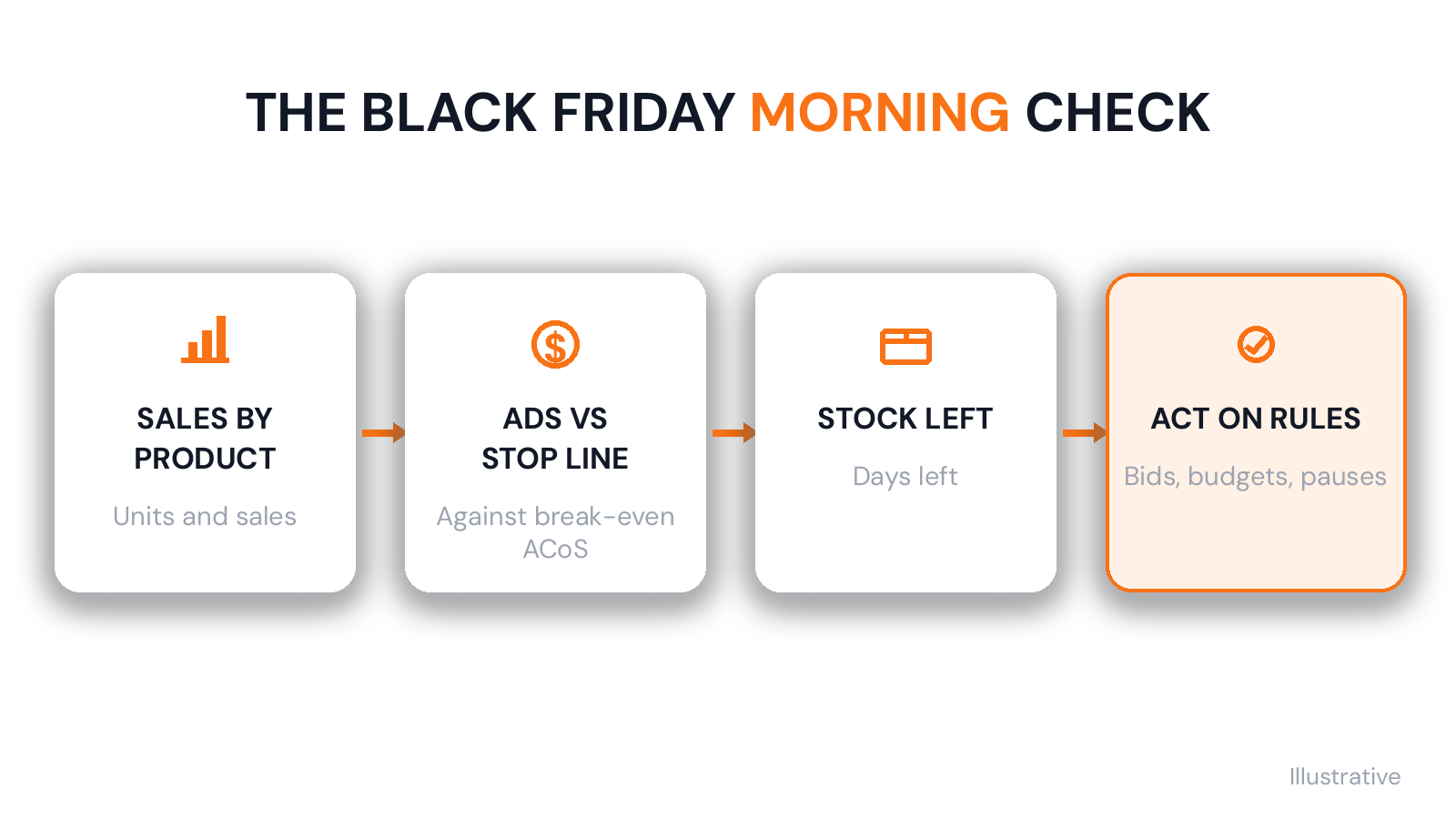
From the start of the deals until Cyber Monday, run the same check at the same time every morning:
- Look at yesterday's units and sales for each product.
- Compare each product's ad spend and ad sales with its stop line.
- Check how many days of stock each product has left.
- Apply your rules to every product over its line or short on stock.
- Write down what you changed, so you can see the results tomorrow.
Keep the routine going for your Cyber Monday Amazon ads, then change the lines back when the deals end. Once the price returns to $29.99, our product's break-even line goes back to about 30%, even with the peak fee still in place. If you keep the Black Friday limits, you will cut ads that are making money again.
The check itself is simple. The hard part is that the numbers live in different places: sales in Seller Central, ad spend in the ad console, stock in your inventory sheet and costs in your costing sheet. In a busy week, pulling them together every morning is the step that gets skipped.
Review the Event after Cyber Monday
The week after Cyber Monday, look at each product's results for the whole event: units, sales, discount, deal and coupon fees, ad spend and net profit. Compare them with a normal week. A product that sold three times as much but made less money than in a normal week should not get the same deal next time.
Do not treat that first review as final. Orders placed between 1 November and 31 December 2026 can be returned until 31 January 2027, whether you use FBA or ship the orders yourself. Some Black Friday sales will come back in January, so do a second review in February.
Use both reviews to decide three things: which deals made money, which products should skip the next event, and which campaigns spent the most for the least profit. Our post on finding ad campaigns that lose money covers that last step in detail.
Plan Amazon Black Friday Advertising around Profit per Unit
The numbers that decide whether Black Friday makes money are all known before it starts: the deal price, the fees, the landed cost and the break-even line for each product. Work them out now, and Amazon Black Friday advertising becomes a few rules to check each morning, with no guessing in the busiest week of the year.
That is the kind of work we built Sellerverse to make easier, after years of running our own business in pieces. It shows profit on every order the day it ships. You can also ask Seller Navigator in plain English, "Which products are losing money on ads?" Setting it up takes some work, and the numbers are only as good as the costs you enter. Try the demo to see per-order profit, or see how Sellerverse runs the whole business from one connected platform.